LearnCard ChangeBlog #21: 6.19.26

Welcome back to another LearnCard ChangeBlog!
This week brings a new home for returning learners, clearer privacy choices, better support for scanned learning documents, and more useful information about credential issuers. Let’s dig in!
A New LearnCard Dashboard
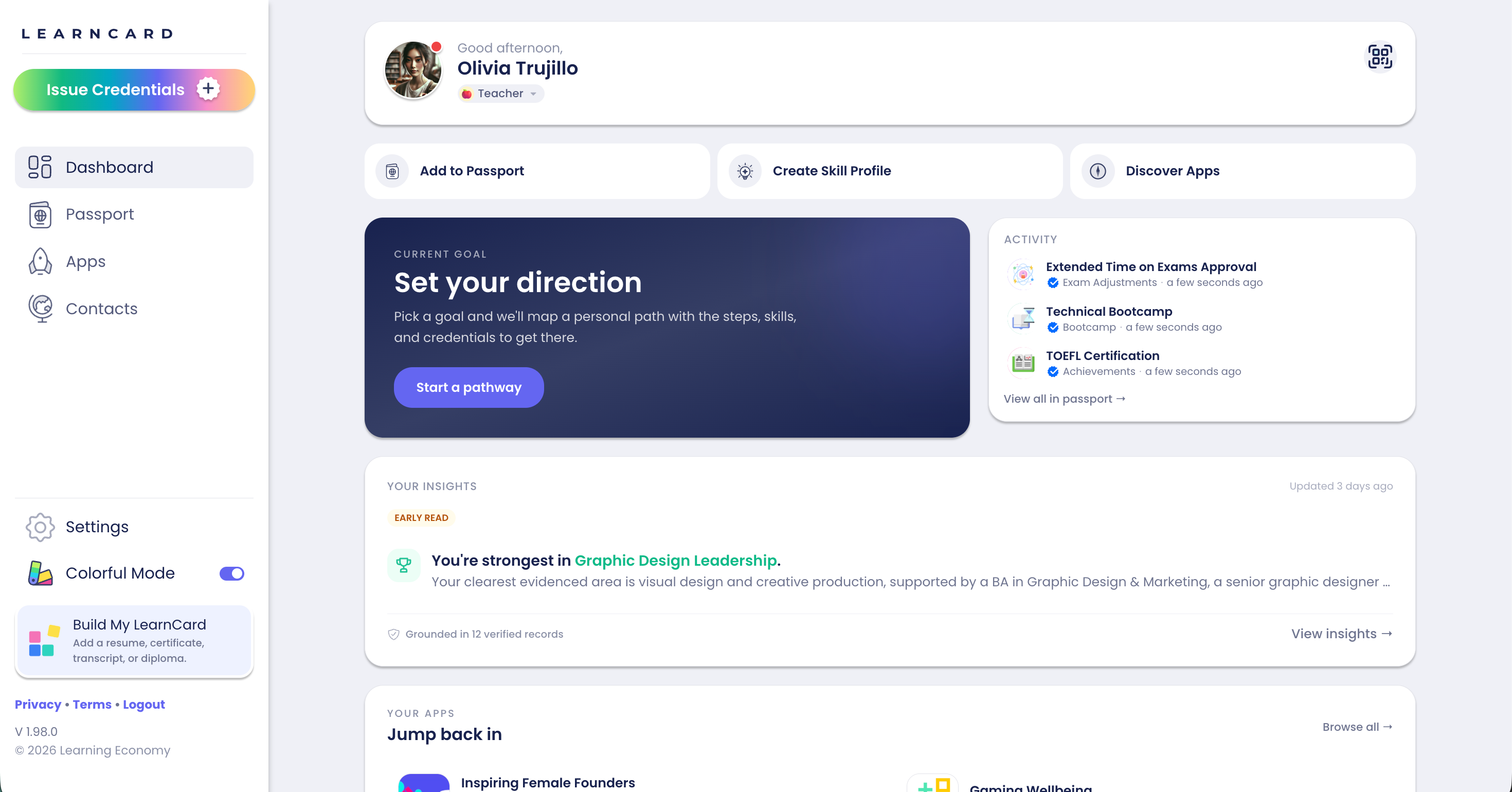
LearnCard now has a new Dashboard designed to answer a simple question: “What should I do next?”
The Dashboard brings a learner’s current goals, recent activity, Skills Profile, connected apps, data-sharing summary, and helpful next actions into one place. New users also receive a dismissible getting-started checklist.
LC-1897: Upload Images and Scanned Documents
Build My LearnCard can now accept PNG, JPG, JPEG, and WebP images when learners upload resumes, certificates, diplomas, and transcripts.
When a PDF does not contain a readable text layer, LearnCard can use vision-based OCR as a fallback. This makes it easier to extract useful information from photographed certificates and scanned educational records.
LC-1906: Privacy Choices During Sign-Up
New learners can choose whether to enable AI features, usage analytics, and crash reporting during sign-up.
These choices were previously applied through defaults after profile creation. The updated onboarding step makes them explicit and carries the learner’s selections into their Privacy & Data settings. Minor accounts receive age-appropriate defaults and guardian protections.
LC-1895: Clearer Credential Issuer Details
Selecting the verification badge on a credential now opens a popover explaining what LearnCard knows about its issuer.
The popover supports known, unrecognized, self-issued, app-issued, and untrusted issuer states. This gives learners useful context without requiring them to interpret an unexplained icon.
Also in this release
App Store categories now use loading placeholders to reduce visual jumping while content is retrieved.
Mobile CLR previews and Resume Builder layouts received additional fixes.
You can view all the latest changes and bug fixes here.