LearnCard ChangeBlog #24: 7.10.26

Welcome back to another LearnCard ChangeBlog!
This is a major product release. LearnCard has a reorganized navigation system, a faster credential-issuing experience, a unified Data Sharing Center, more resilient mobile behavior, and more personalized AI Insights. Let’s dig in!
A Simpler Dashboard, Passport, and Apps Experience
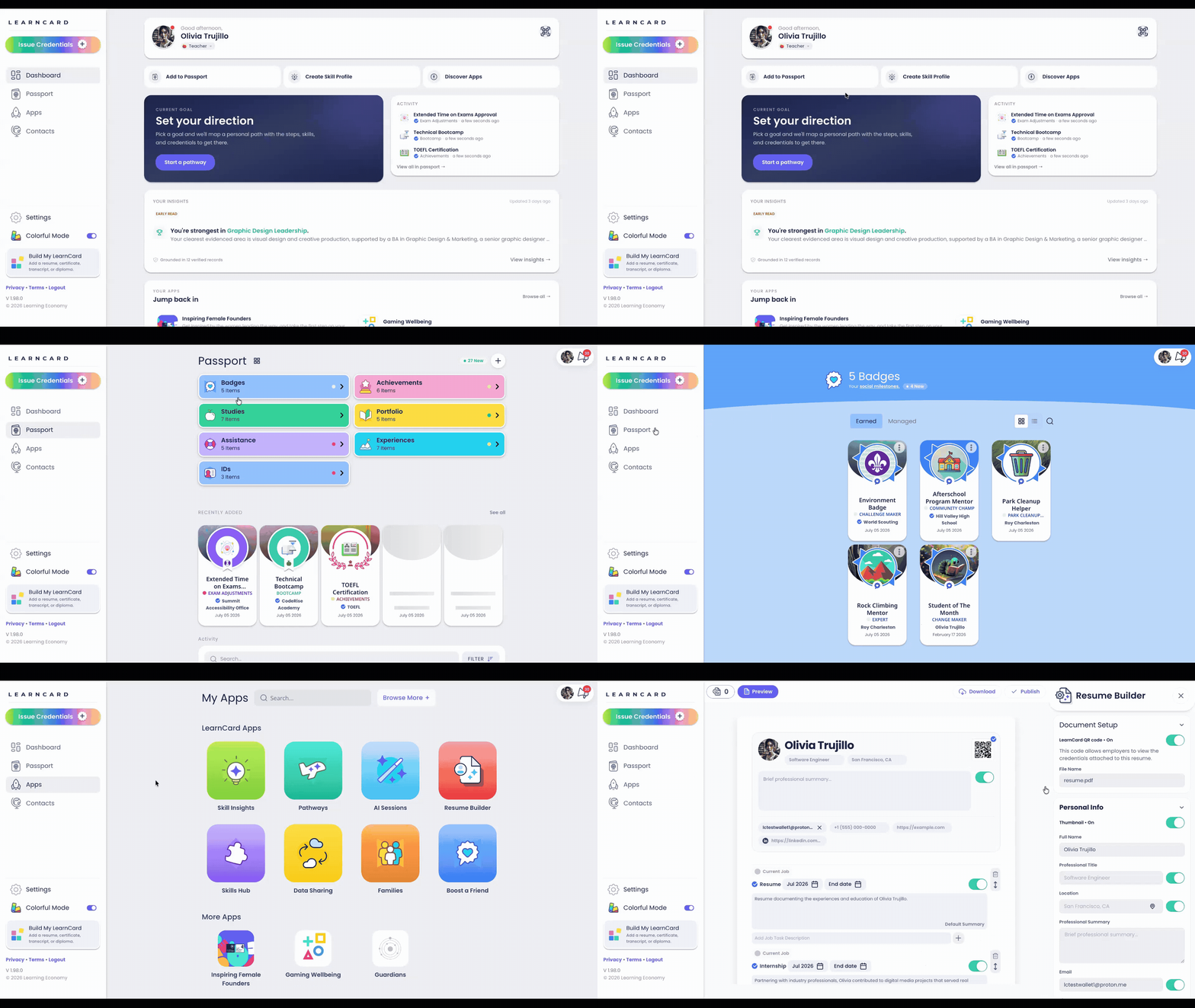
LearnCard’s primary navigation has been reorganized around four destinations: Dashboard, Passport, Apps, and Contacts.
The Passport now focuses on seven core credential categories, including Badges, Achievements, Courses, Portfolio, Assistance, Experiences, and IDs. Skills, AI tools, Pathways, Families, and other application experiences have moved into a redesigned Apps page.
The new Apps page opens with useful LearnCard tools and installed apps, while Browse More provides access to the wider App Store.
This work spans the navigation, Apps page, and Passport organization.
LC-1945: A Cleaner Way to Issue Credentials
LearnCard now offers a streamlined credential-issuing experience.
Issuers can create a standards-compliant Open Badges 3.0 credential from scratch, import information from an existing source, or resend a credential they already manage. Recipients can be selected individually, or the issuer can create a shareable claim link.
A live preview updates while the credential is being built, and the finished credential can include skills, evidence, media, dates, grades, and credit information. Any fun colors and customizations we do inside LearnCard now live in the OBv3 Tag field, reducing interoperability friction within other wallets.
This experience is being introduced through a controlled feature rollout. Users outside that rollout will continue to see the existing credential builder.
A Unified Data Sharing Center
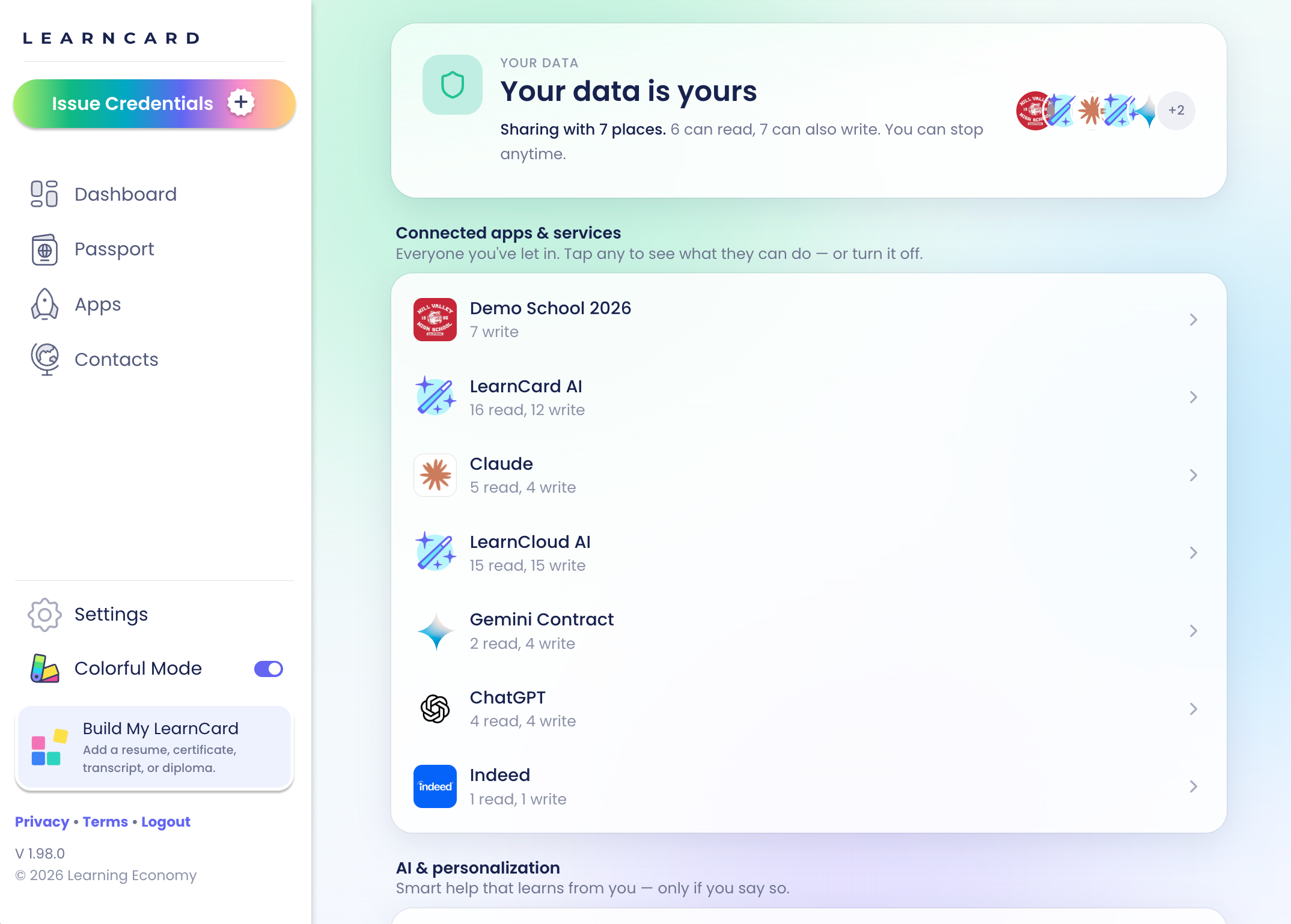
Privacy controls and connected-app permissions now live together in one Data Sharing Center.
Learners can review:
Which apps and services have access to their information
What each service can read or write
AI and personalization settings
Profile visibility
Usage analytics and crash-reporting choices
Selecting a connected app opens its permissions and activity in one continuous panel instead of a stack of separate windows. Younger learners also receive a dedicated Protected Account explanation with age-appropriate controls.
Improved Offline and Unreliable-Network Support on Android
LearnCard’s native applications are now more resilient when a device is offline or moving between unstable connections.
Returning learners can enter the application using their local wallet instead of becoming trapped on a loading screen. The app displays clear offline messaging, automatically refreshes data when connectivity returns, and avoids incorrectly sending existing users back into onboarding.
More Personal AI Insights
AI Insights can now incorporate a learner’s skills, goals, and professional title when generating recommendations.
The flow for synchronizing Demo School information and generating Insights also received reliability and usability improvements. This creates more relevant recommendations while continuing to rely on the learner’s ConsentFlow permissions.
Also in this release
Resume Builder improvements make credential selection and content editing clearer.
Credential verification requests can once again be completed end to end, with clearer mobile controls and fewer irrelevant records in the selection list.
Partner applications can receive learner context more quickly through short-lived prewarming and caching.
You can view all the latest changes and bug fixes here.