LearnCard ChangeBlog #31: 9.11.26

Welcome back to another LearnCard ChangeBlog!
This release makes it easier to connect with others, understand assessments in your learning record, protect access to your account, and share feedback with the LearnCard team.
A More Useful Contact Card
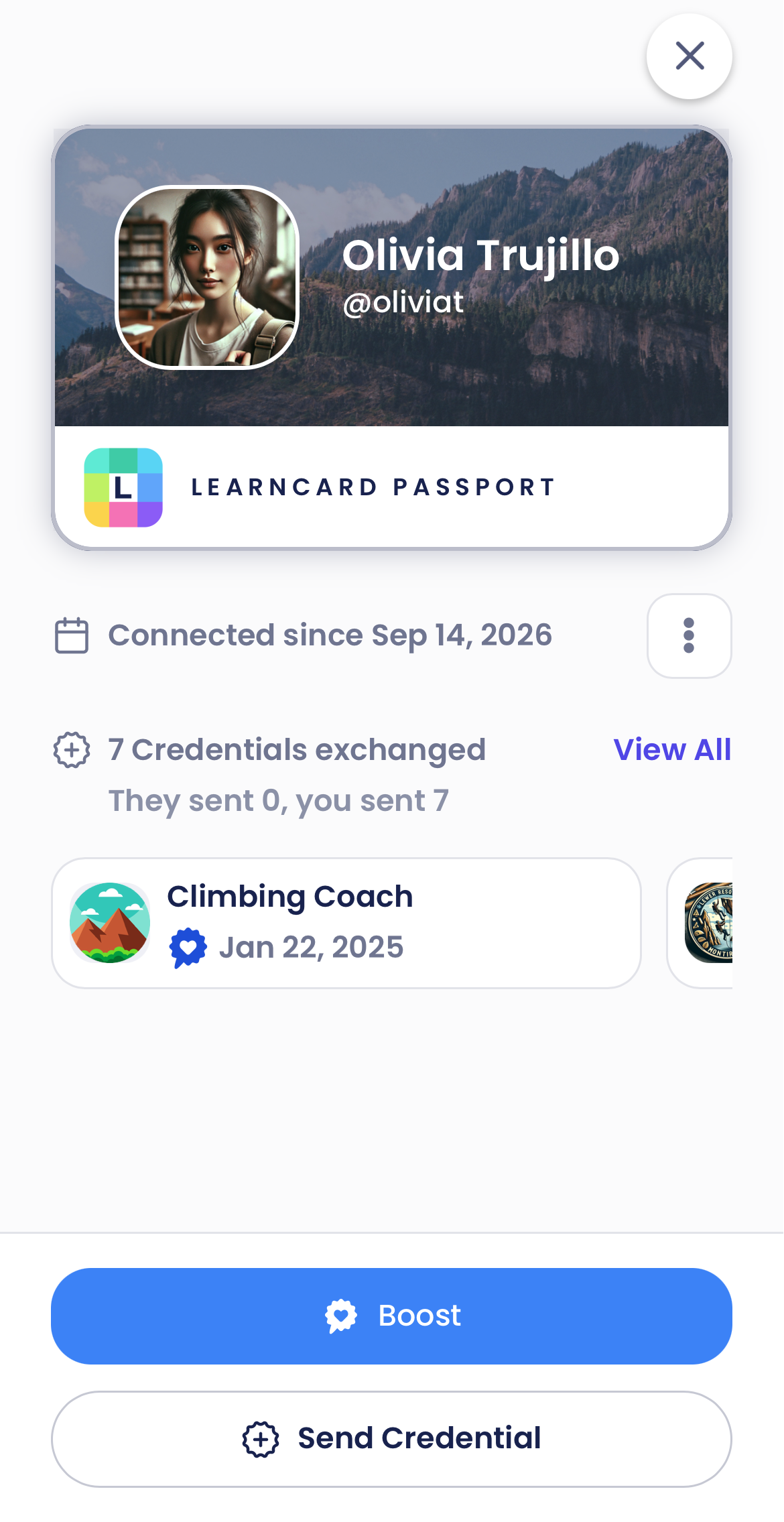
Your connections now have redesigned contact cards that bring profile details, contact actions, and credential exchange history together.
See credentials you’ve sent and received, browse recent exchanges, or open the full history. You can also start issuing a credential directly from a contact, with that person already selected as the recipient.
For connections with available date information, the card also shows when you connected.
Invite Your First Connection
An empty Contacts page now gives you a clear next step: Invite a Friend.
Share a reusable invitation link or display a QR code for someone nearby. Inviting remains available after you’ve added your first connections.
This update also fixes contact QR codes that could point to the wrong application and distinguishes a loading error from a genuinely empty contact list.
Assessments Now Appear in CLR Transcripts
Comprehensive Learner Records can contain more than courses. LearnCard now displays supported nested assessment credentials in a dedicated Assessments section beneath Course History.
Open an assessment to explore available scores, rubric criteria, achieved proficiency levels, framework alignments, and supporting evidence. This includes supported assessments aligned to Carnegie Skills Progressions.
The result is a fuller picture of learning that takes place beyond individual courses.
Clearer Account-Recovery Setup
Account-recovery reminders now appear on the Dashboard, where they’re easier to find.
For eligible accounts with credentials but no recovery method configured, LearnCard recommends an available recovery option and confirms when setup is complete. In normal sessions, you can snooze the reminder for seven days.
Public-computer sessions receive a more prominent reminder that stays visible until recovery is configured.
Report a Problem or Share an Idea
Eligible signed-in adult users can now report problems or share ideas through LearnCard’s built-in feedback interface.
Reports support optional screenshot attachments, with controls over what you share. Feedback handling limits diagnostic information and avoids automatically associating idea submissions with your signed-in profile.
You can view the full release details here